
While using the Active Directory Users and Computers tool, there will surely come a time when you want to delete one of your OUs for some reason. However, you will notice fairly quickly that if protection against accidental deletion is enabled, you will not be able to do so.
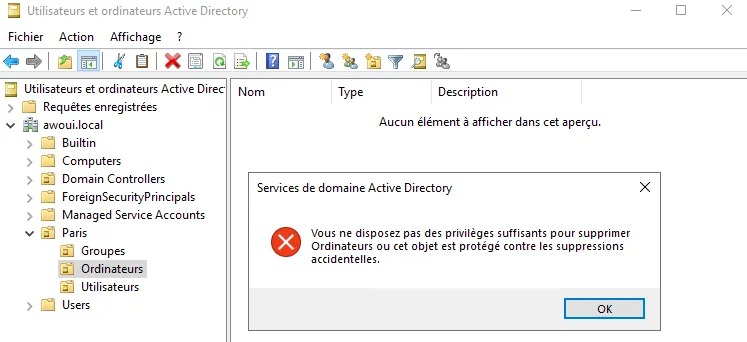
Here are the steps to follow in order to turn off protection against accidental deletion and to be able to delete your OUs freely.
Step 1: Advanced features
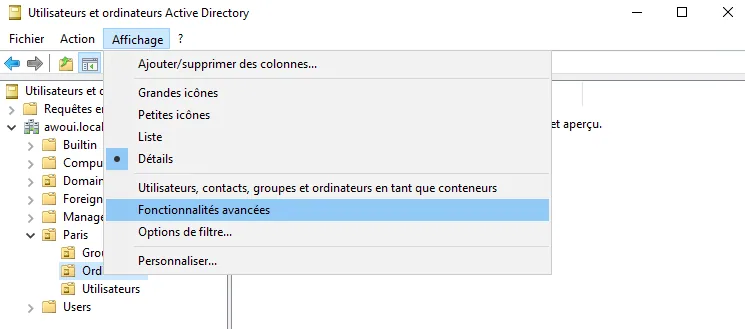
1. Click on "View", then on "Advanced Features"
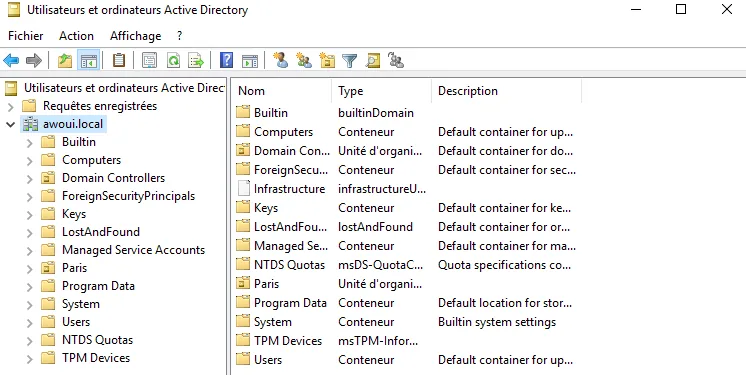
This will show you a display like the one below:
Step 2: Properties of the OU
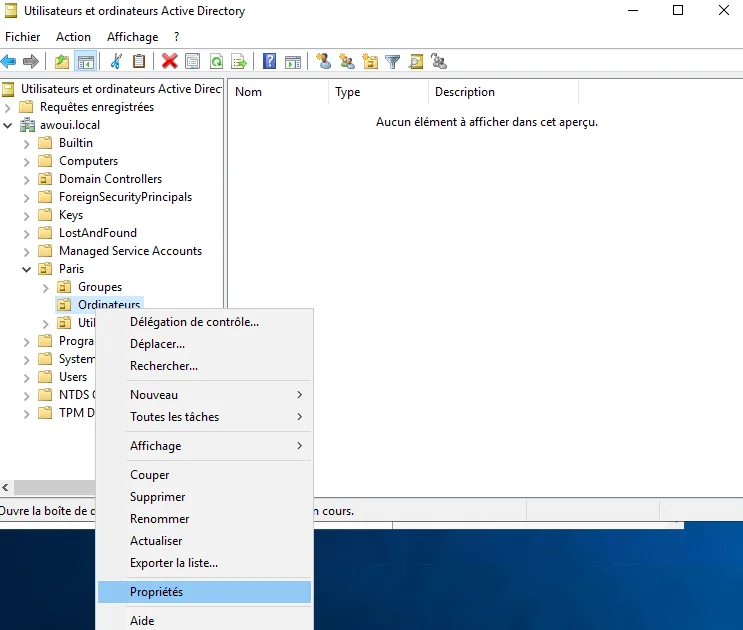
1. Go to the properties of the OU
Right-click on the OU you want to delete and go to its properties.
2. Removing the protection of the object
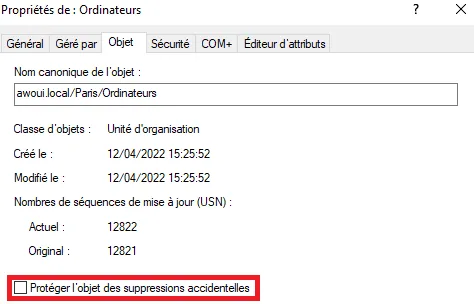
Once in the properties, go to the "Object" section, where you will find a checked box "Protect object from accidental deletion". Uncheck this box, then click on "OK".
Step 3: Deleting the OU
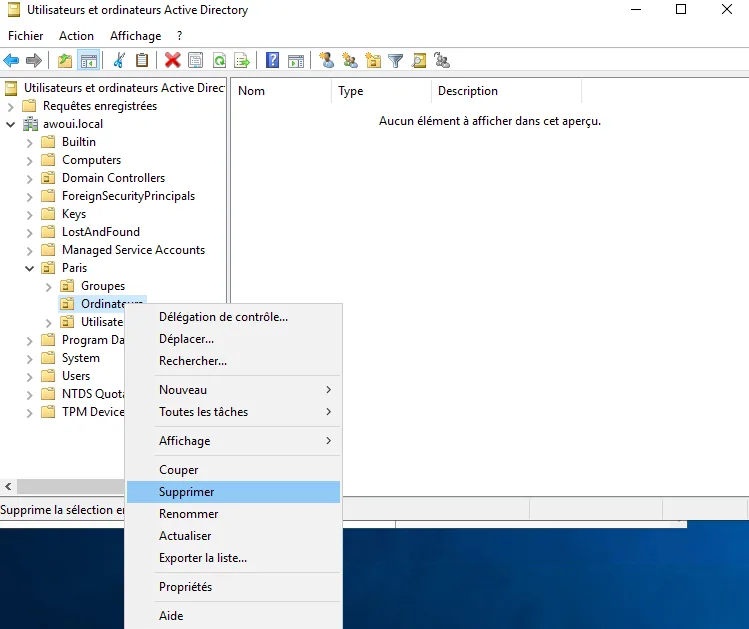
There you go, all you have to do now is try deleting your OU again.
You have now learned how to turn off this protection against accidental deletion. Nevertheless, use this method wisely so as not to inadvertently delete one of your OUs by mistake.